Jaguar Land Rover: Weather Watch

While on contract with Jaguar Land Rover, I worked on multiple projects ranging from the visual update of the Jaguar Land Rover Innovation Labs website to designing a windscreen concept for the first wave of Level 5 (100% autonomous) vehicles. While some of my work at JLR remains confidential, I’ve included a few project examples throughout this site.

If you’d like more details, please reach out.

Weather Watch

Overview 

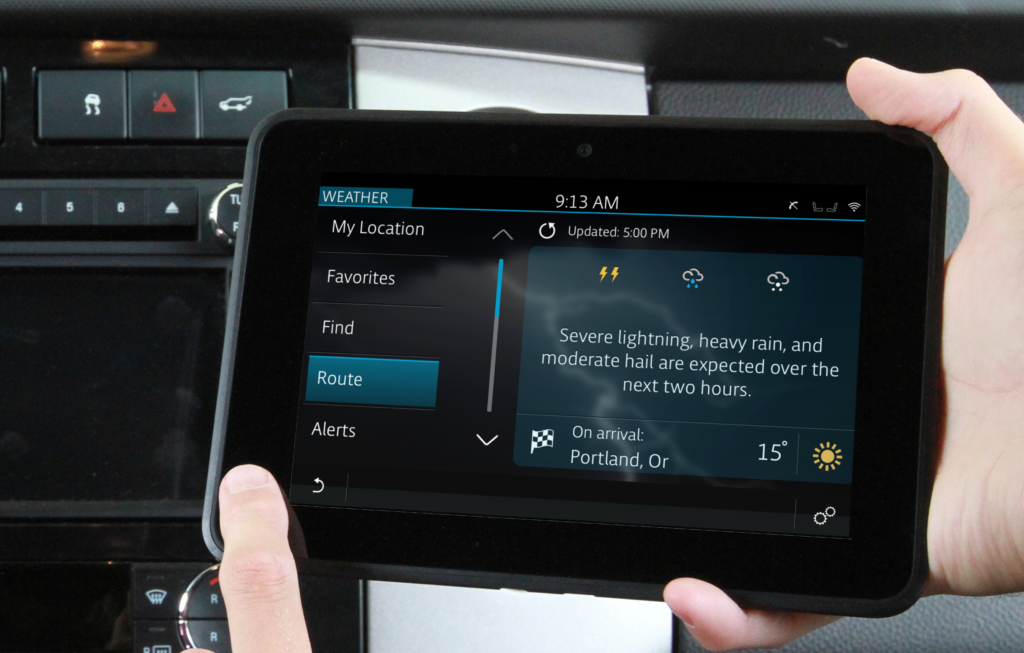
Targeted for the 2023 Evoque Convertible, Weather Watch aimed to provide drivers with relevant warnings of weather events along a predetermined route. Using the Minute Cast Along A Route (MCAR) API, Weather Watch gathered data on up two hours of a route and alerted drivers to hazards based on time, state of the vehicle, severity, and hazards type.

Drivers could also view a comprehensive list of hazards from a tab in their Weather App.


My Role

As the lead UX designer on this project, I was responsible for leading the creation of the system notification logic, the corresponding “alert tab” logic,  and designing the visual style for Weather Watch within the confines of the JLR brand.

The Problem

The MCAR API could return up to 60 waypoints, each potentially containing multiple hazards. The resulting UX problems could be broken up into three main issues:

  1. We can only alert the driver to one hazard at a time. How do we determine which hazard is most urgent?
  2. Weather is constantly shifting. How can we give the driver new information and not distract them by telling them about weather they are currently experiencing?
  3. How can we best equip the driver to deal with the hazard?
Our Approach

Because each alert was limited to one sentence of English text, our main concern was providing drivers with alerts that were actionable and relevant.

To solve this, we first asked drivers to order hazards from most concerning to least concerning –assuming severity of all was severe –when driving with the roof closed. We asked them to repeat the task assuming the roof was open. We used the resulting “Roof Open” and “Roof Closed” lists to determine priority.

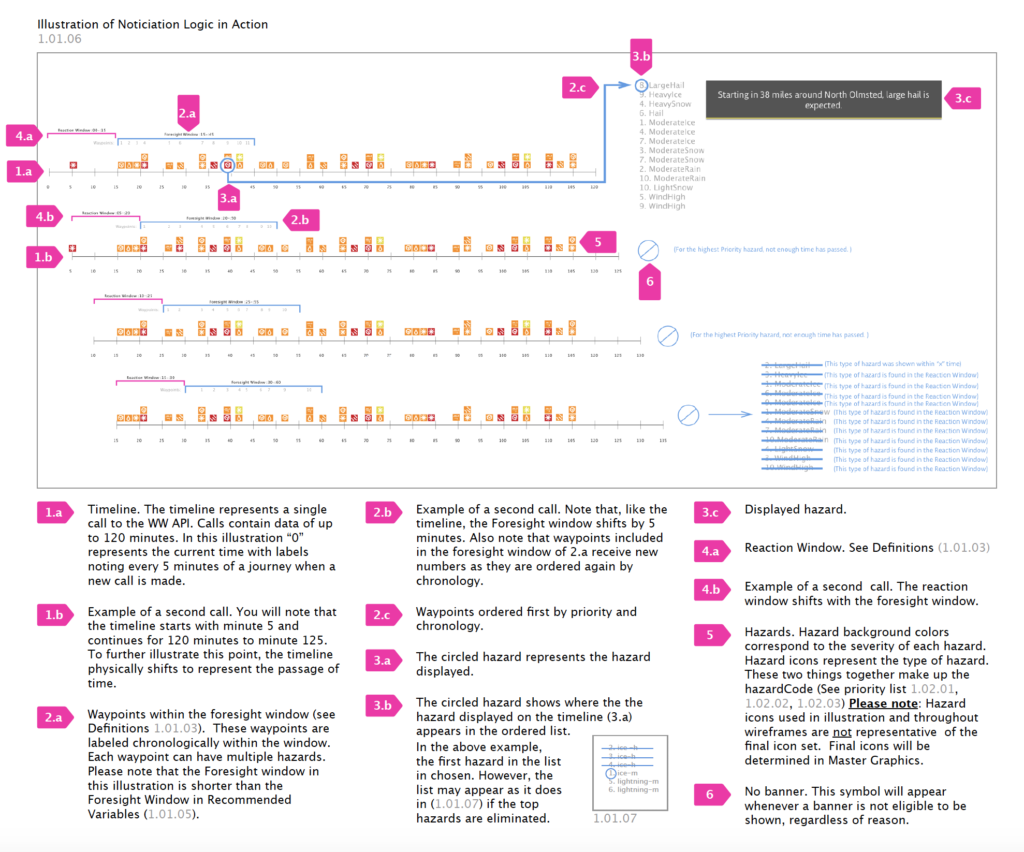
To ensure the information given to the driver was actionable, we eliminated all waypoints after the first 45 minutes, and differentiated two separate windows: The “Reaction Window” (seen in pink) and the “Foresight Window” (seen in blue).

The Reaction Window included the next 15 minutes of a drivers route. Because the driver was likely experiencing or able to predict immediate weather changes, all hazards in this window were eliminated.

The Foresight Window included hazards 15-45 minutes from the drivers present time. This gave the driver enough time to change course should they need to, but not enough time to forget about an event. Any hazards identical to ones found in the reaction window were eliminated, ensuring we weren’t reporting on weather they were already experiencing.

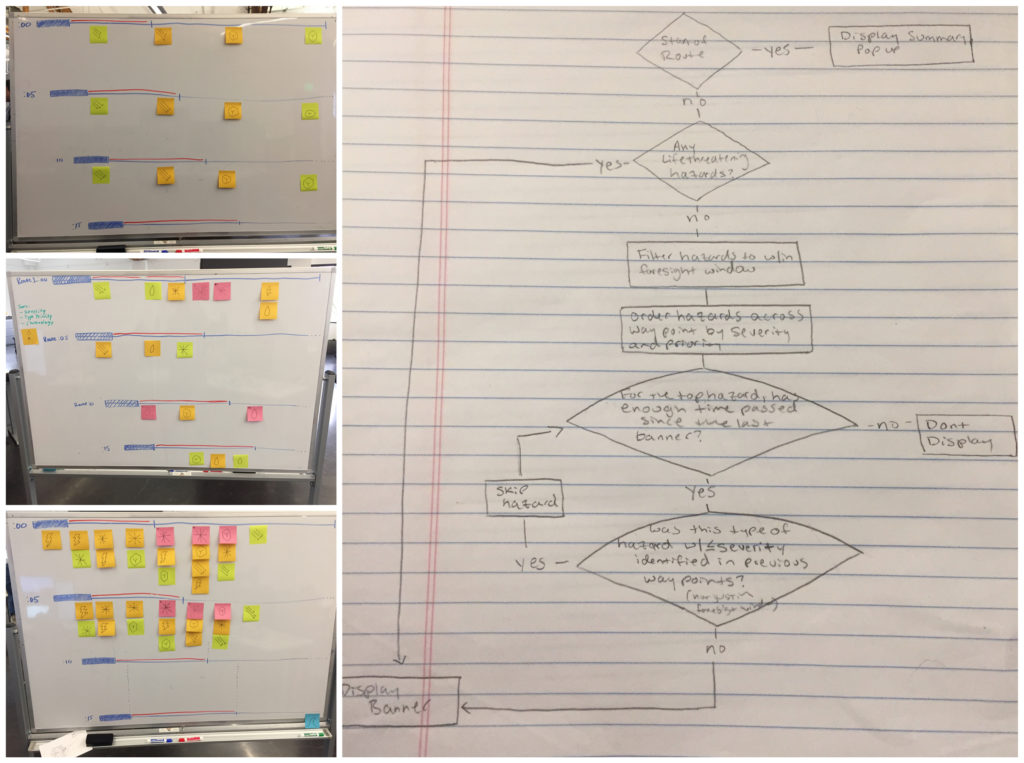
Weather Watch was a highly nuanced, technical project. The images above are snippets of our process. Before the project was finished, we completed over 20 iterations of the system logic to ensure it would apply across all use cases. The final logic was much more exhaustive than explained above.

If you’re interested in hearing more about this project, my roll, or my process, I’d be happy to discuss it in an interview.