Curator Mobile

About the Curator App


Curator is a web portal and SaaS product designed to make data accessible to a broad audience. While Curator offers a feature-rich backend and a robust set of front-end controls, Curator Mobile is an on-the-go tool meant simply to display pre-created dashboards and reports.

The below outlines the Curator Mobile MVP. 


Client: Interworks

Role in Project: UX Designer

Objective: Create a sleek, easy-to-use MVP that allowed users to view, add and share dashboards from their Curator account.

Data on Demand

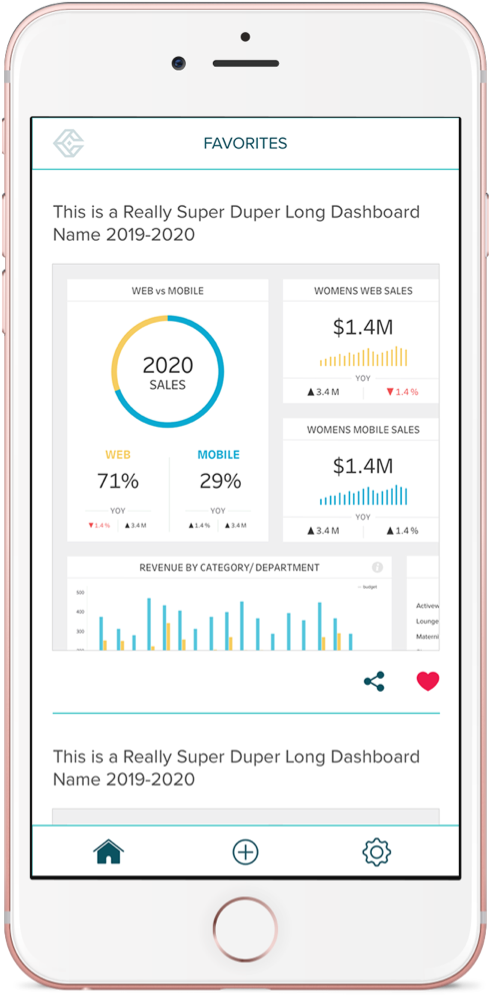
Curator Mobile limits Tableau features so that users stay focused on what really matters: their data. The app allows users to scroll through their “favorites” and share dashboards as well as filter their data using a set of pre-set dashboard filters.


Favorites →

Here users can scroll through a list of their favorites dashboards for quick access to their most viewed metrics. Favorites can be added via the app however all dashboards must be pre-built in Tableau.


View Dashboard→

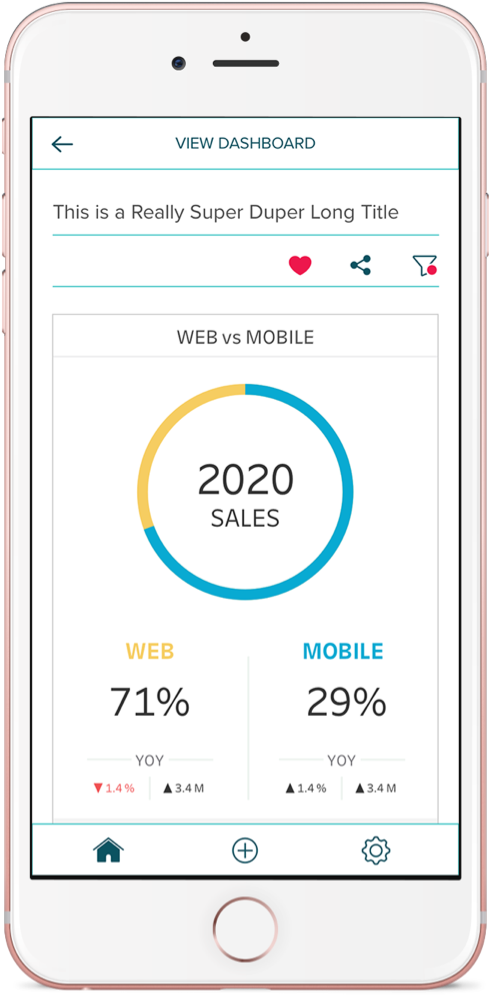
The single dashboard view allows users to view the mobile version of any dashboard. Here Tableau features are limited to “filter” and “share.”

MVP User Flow


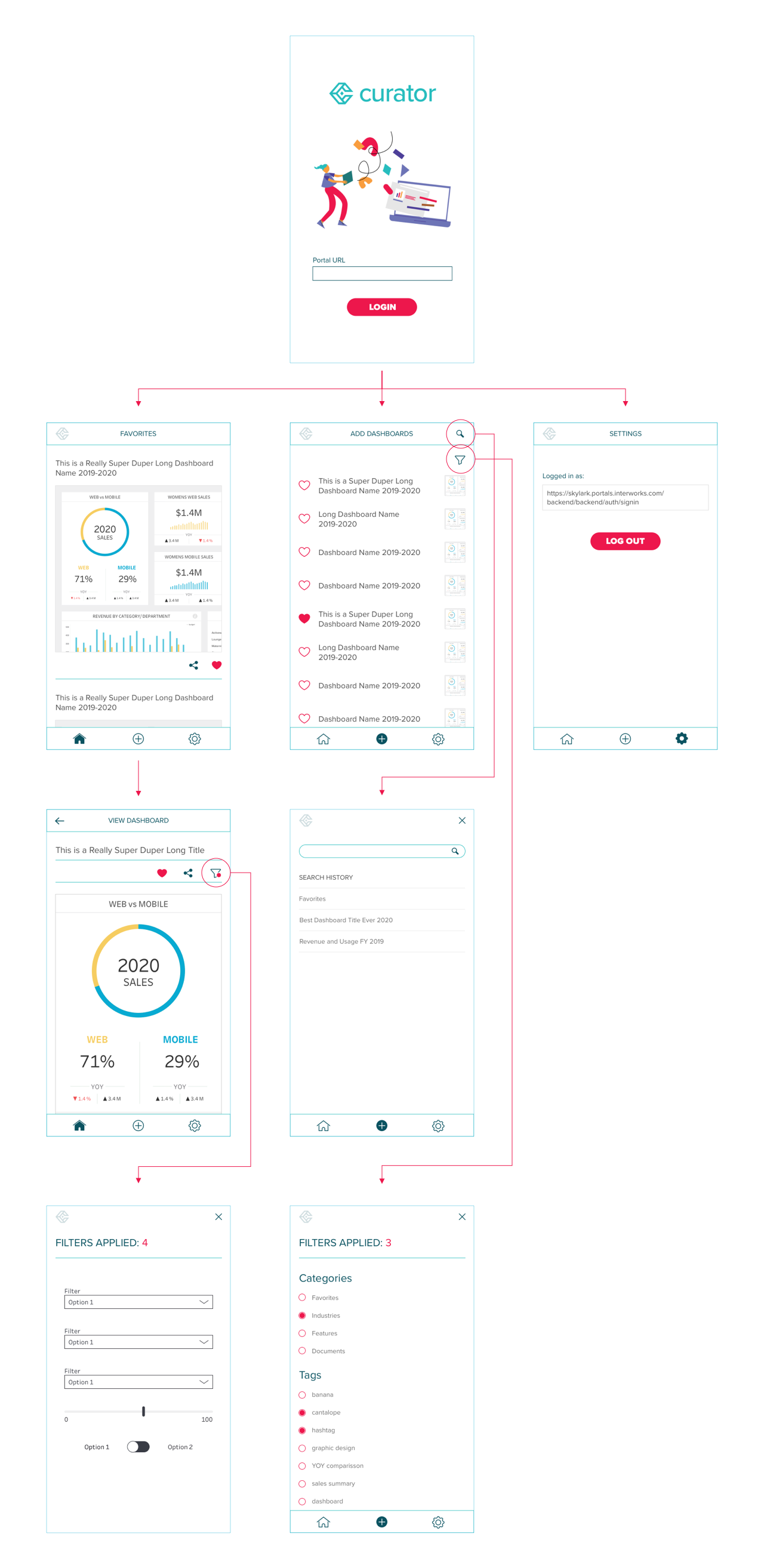
This Curator MVP user flow is everything an MVP should be: stripped down to the bear essentials.

Upon login users are given a menu with three options: 

  1. View Favorites (the default landing page)
  2. Add Dashboards 
  3. View Settings

From the View Favorites tab, users can scroll through and preview their favorite dashboards or click on a dashboard for a more in-depth view.

In the Add Dashboard tab, users can search for any pre-created dashboard hosted on their Tableau Server Account. Users can either search for a dashboard directly or they can use the “filter” feature to filter dashboards based on category. 

And finally, in the Settings tab, users can log in to their Tableau Server account.